Build Once, Repurpose Everywhere: A Step-by-Step System for Creators and Founders in 2026
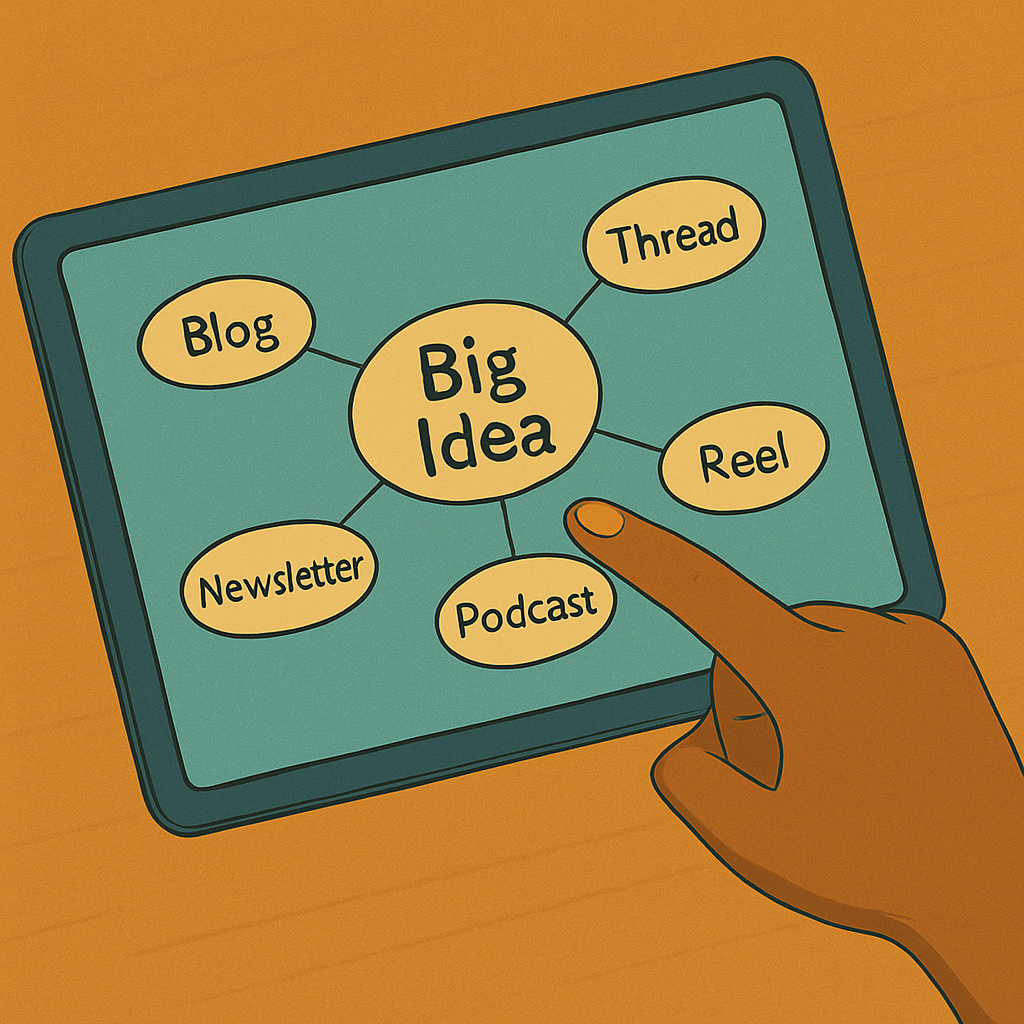
The internet is louder than ever. You don’t win by posting more: you win by building one strong idea and stretching it into high-impact content across every platform your audience touches.

In this guide
Why repurposing is non-negotiable in 2026
The content firehose is wide open. Every minute, hundreds of hours of video hit YouTube, millions of podcast episodes compete for attention, and blogs pile up by the millions. If you drop one brilliant post into that river and walk away, it disappears almost instantly.
Repurposing flips that script. Instead of reinventing the wheel every week, you build one strong idea, then reshape it into multiple assets tailored for different platforms and attention spans.
Five big reasons to repurpose your content
- Save time and resources: repurposing lets you leverage research, stories and frameworks you’ve already created instead of starting from zero each time. Long-form work becomes a source of clips, quotes and visuals you can use for weeks.
- Reach more people, where they are: some people binge podcasts, others skim email, others live in short-form feeds. Repurposing turns one idea into platform-native versions that match those habits.
- Boost discoverability and SEO: every repurposed piece is another door into your world. More posts and formats mean more keywords, backlinks and touchpoints pointing back to your brand.
- Extend lifespan and ROI: instead of a “post and pray” strategy, you keep resurfacing and refreshing your best ideas so they keep paying you back over time.
- Keep up with video-first platforms: as every feed goes more video-heavy, turning one long video into Shorts, Reels, carousels and clips becomes essential, not optional.
How to adopt the “build once” mindset
Repurposing is not copy–paste. It’s a way of designing ideas so they naturally break into pieces. You’re building a system, not just duplicating posts.
Start with a core idea as your pillar
Choose a deep, high-value idea that genuinely helps your audience: a webinar, long-form blog, podcast episode, workshop or in-depth interview. The richer the substance, the better it repurposes. Use your analytics to spot topics that already resonate and start there for maximum impact.
Think in “atoms” instead of monoliths
Instead of treating your big piece as one massive block, look for atoms inside it:
- Standalone insights and quotes.
- Stats or short stories.
- Frameworks, lists and step-by-step breakdowns.
Each atom can become a tweet, carousel slide, short video, email section or infographic. The original idea stays intact, but you’re slicing it into snackable, platform-ready pieces.
Create platform-native versions
Repurposing works best when every asset feels like it belongs where it shows up:
- Twitter/X: sharp hooks, concise threads, punchy lines.
- LinkedIn: story-driven posts, carousels, native video.
- Instagram & TikTok: visual-first Reels, short clips, kinetic text.
- Email: more narrative, more context, direct calls to action.
Same idea, different outfit. You respect each platform’s culture and audience.
Refresh and add value as you go
When you revisit an idea, you can:
- Update stats and references to keep them current.
- Add fresh examples and stories.
- Reflect on what’s changed since you first shared it.
That way, you’re not just recycling — you’re evolving the idea in public.
Use automation without sounding robotic
AI tools can clip videos, generate captions, and help draft summaries. They are great assistants, but terrible replacements for your voice. Use them to speed up the workflow, then edit everything through your own lens so it still sounds like you.
Step-by-step: stretch one idea everywhere
Let’s say you record a 30-minute webinar called “5 Productivity Habits for Remote Workers.” Here’s how you can transform that one session into a full content stack.
1. Build your long-form pillar
- Video hub: publish the full webinar on YouTube, embed it on your site and add a strong title, description and keywords.
- Transcript and blog: transcribe the audio, then edit it into a structured blog post with headings, images and clear calls to action.
This combo becomes the “source of truth” that everything else points back to.
2. Clip it into short-form video
Use an AI clipping tool to grab the most engaging 20–60 second segments. Focus on one habit or one line per clip and turn them into:
- YouTube Shorts.
- Instagram Reels and TikToks.
- Native LinkedIn or Twitter clips.
Add subtitles and a simple CTA sending viewers back to the full webinar or blog.
3. Spin a Twitter/X thread
Start with a scroll-stopping hook:
“Tired of feeling scattered when you work remotely? Here are 5 habits that actually fix it 🧵”
Then turn each habit into its own tweet, with a quick summary and any powerful stats or quotes from the webinar. End the thread with a link to your full article or video.
4. Create a LinkedIn carousel or slide deck
Use Canva, Keynote or PowerPoint to design a carousel:
- Slide 1: big, bold title and hook.
- Slides 2–6: one habit per slide with a short explanation.
- Final slide: call to action to watch the full webinar or grab a checklist.
Carousels perform extremely well on LinkedIn and feel like mini-presentations your audience can swipe through quickly.
5. Turn it into an email newsletter
Draft an email that:
- Opens with a relatable story about struggling to focus remotely.
- Summarizes each habit in 1–2 punchy sentences.
- Links to the full video or post for people who want more depth.
For extra value, you can add a downloadable PDF or checklist as a lead magnet.
6. Design an infographic and pins
Turn the five habits into a single, clean infographic. Post it:
- Inside your blog post.
- As a Pinterest pin.
- As a static image on LinkedIn and Instagram.
7. Extract audio for a podcast or mini episode
Use the webinar audio as a full podcast episode or record a shorter “highlight” version. Add a quick intro and outro, then publish it to your podcast feed.
8. Host a follow-up Q&A or AMA
Schedule a live session where you answer questions about those same habits. Promote it using your clips, emails and posts, and point attendees back to the main content hub.
Tools that streamline repurposing
You can repurpose everything manually, but modern tools make the process faster and more scalable — especially when you’re juggling clients, travel and new projects.
Video repurposing assistants
- Pictory-style tools: turn long-form videos or webinars into short, captioned clips with platform-ready aspect ratios. Ideal for Shorts, Reels and TikTok.
- Vidyo-style apps: scan for high-engagement moments and auto-generate multiple clips you can quickly polish and publish.
- Highlight-clipping platforms: let you search via transcript, grab quotes and instantly generate social snippets.
Planning and orchestration tools
- Trello, Notion or ClickUp: track which atom becomes which asset, what’s been scheduled, and where each piece is live.
- Calendars and content boards: map how your core ideas roll out across weeks instead of panic-posting daily.
AI writing copilots
AI assistants can:
- Summarize long posts into threads or emails.
- Draft multiple headline options.
- Rephrase ideas to fit different character counts.
Just remember your rule: let AI handle the grunt work, then you step in to add specificity, personality and edge.
Best practices and caution flags
Repurposing done right makes your brand feel consistent and intentional. Repurposing done wrong makes you look like a spam bot. Let’s stay on the good side.
Tailor to each platform
- Adjust tone, length and calls to action to match audience expectations.
- Use hashtags and emojis selectively where they make sense.
- Keep LinkedIn a bit more professional and context-rich than Twitter or TikTok.
Stay visually on brand
Use consistent:
- Colors and typography.
- Logo placement.
- Thumbnail and cover image style for videos and carousels.
Over time, people will recognize your content before they even read your name.
Update data as you go
When repurposing content months later:
- Refresh stats, platform features and trend references.
- Note what’s changed since you first shared the idea.
- Retire assets that rely heavily on outdated information.
Avoid repetition fatigue
Yes, you’re reusing ideas — but your audience shouldn’t feel like they’re stuck in a time loop. Mix up:
- Angles and hooks.
- Examples and stories.
- Formats and entry points (question vs. claim vs. myth-busting).
Measure what actually works
Use analytics to track:
- Which clips drive the most watch time or saves.
- Which threads and posts drive clicks and replies.
- Which emails get opens, clicks and replies — not just list size.
Then adjust your repurposing strategy toward what’s truly moving the needle, not what feels coolest in your dashboard.
Final word: repurposing as a growth investment
The future of content is omnichannel. The creators and brands who win aren’t the ones posting the most — they’re the ones designing ideas to travel far, live long and show up in multiple places with a consistent, authentic voice.
Build once. Break your idea into atoms. Shape each atom for the platform it lives on. Use tools to speed up the process, but keep your human fingerprint on every piece.
When you do that consistently, your content stops feeling like “today’s post” and starts behaving like an asset portfolio: working quietly in the background, bringing people closer to your brand long after you hit publish.
Ready to build once and repurpose everywhere?
You don’t need an army of editors to stretch your ideas. You need one powerful workflow and a simple system to turn every pillar piece into threads, posts, Reels and emails that keep working long after you log off.
The staff partially generated this text content with ChatGPT, OpenAI’s large-scale language-generation model. Upon generating draft language, the staff reviewed, researched, and revised the language to their own liking and takes ultimate responsibility for the content of this publication. Dryfter Bloom may receive free products from manufacturers for review purposes. We do not accept payment for positive coverage, and all opinions are our own. We may also earn a commission when you buy through a link on our site.