
Espresso 15 Pro Portable Monitor Review: The 4K Travel Screen for Digital Nomads
An ultra-thin, 4K portable monitor that expands your workspace anywhere. Dual USB-C ports and a magnetic stand make it a powerful, packable upgrade for digital nomads who live on the move.
In this review
Your gear is your lifeline when you work from everywhere
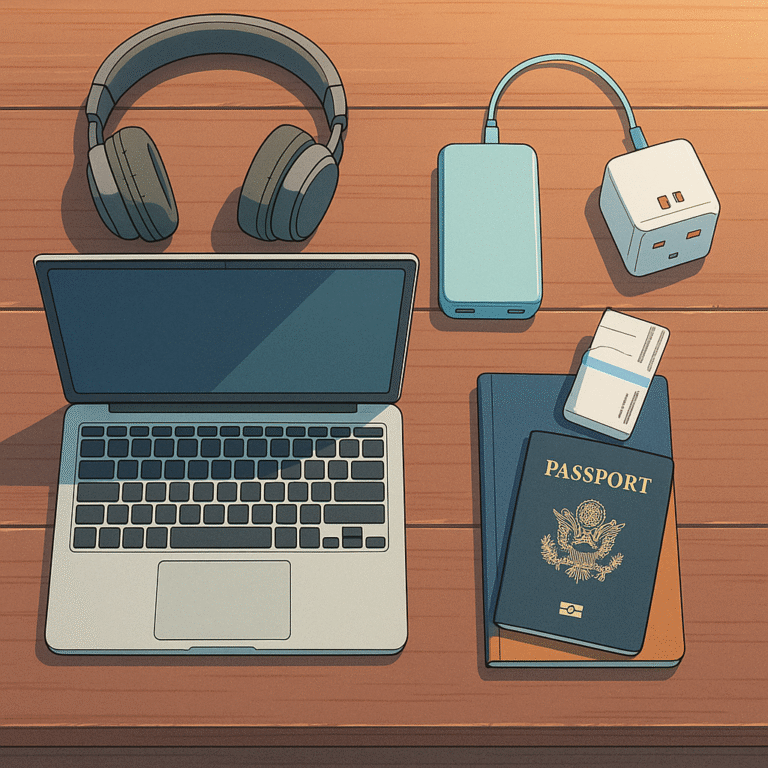
Traveling full-time as a digital nomad teaches you one thing quickly: your gear is your lifeline. Your laptop, headphones, and connectivity tools aren’t “nice-to-haves” — they are the reason you can pay rent, book flights, and keep clients happy while hopping between cafés, airports, and Airbnb apartments.:contentReference[oaicite:1]{index=1}
But once your calendar fills with calls, your browser fills with tabs, and your to-do list lives across five different apps, a single 13–15 inch laptop screen starts feeling cramped. That’s where a portable monitor like the Espresso 15 Pro becomes a game-changer: it turns any random table into a real workstation.
Instead of constantly tabbing between slides and notes, or stacking windows on top of each other, you get a dedicated second screen that travels with you. Less window juggling, more focus, and a workflow that feels closer to your desk setup back home — without hauling a bulky desktop monitor in your carry-on.
Espresso 15 Pro portable monitor: quick take for busy nomads
If you’re reading this in an airport lounge, here’s the short version: the Espresso 15 Pro is a premium, ultra-slim 4K portable monitor built for people who work from anywhere and want a desk-level dual-screen setup in their backpack.
Productivity Power-Up
- Use laptop screen for writing and the Espresso for research or dashboards
- Snap Zoom or Meet calls on one screen, notes on the other
- Feels like a real office setup in cafés and Airbnb kitchens
Perfect if you live inside browsers, docs, and Notion all day.
Visual Workflows
- Timeline or toolbars on one screen, canvas or preview on the other
- Review client assets full-screen while editing on your main display
- 4K panel keeps imagery sharp and detailed
Built for Figma, Lightroom, and content review on the road.
Client & Team Sessions
- Face your laptop towards you, Espresso towards clients
- Run live demos on one screen and notes on the other
- Looks polished in coworking spaces or client offices
Makes you look prepared and professional, even on the move.
The short story: if a second screen would genuinely help you get more done, but you don’t want a bulky setup, the Espresso 15 Pro is one of the cleanest portable solutions out there.
Design and build: ultra-thin and surprisingly premium
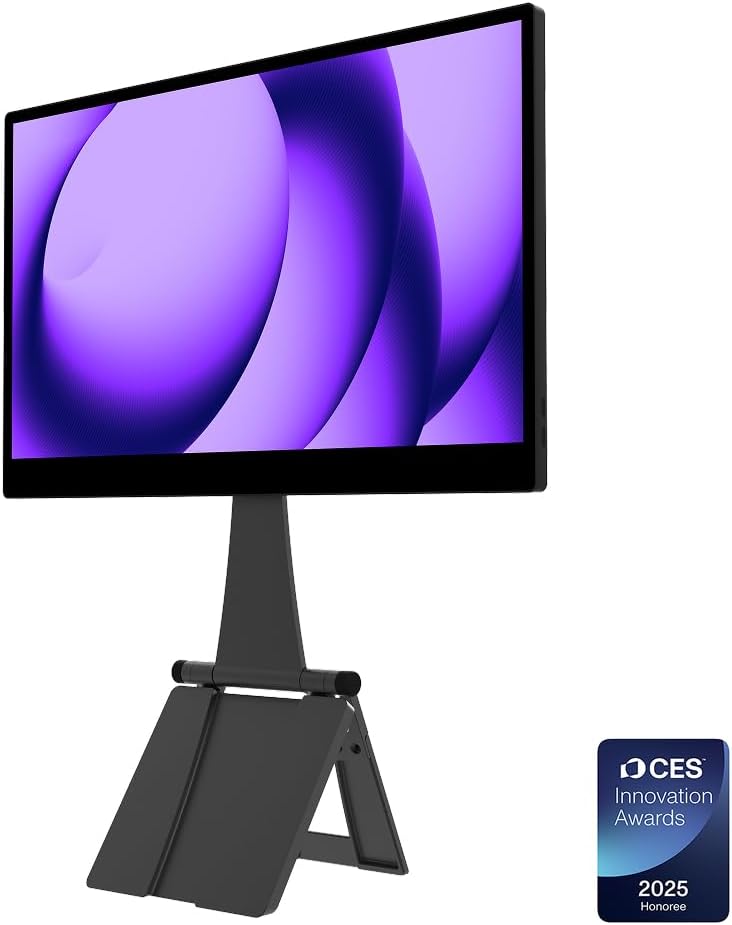
The Espresso 15 Pro leans heavily into minimalism. It’s extremely thin, with slim bezels, a clean front, and a back that feels more like a modern tablet than a traditional monitor. In a bag, it slides into the same sleeve or pocket you’d normally use for a tablet or slim notebook.
The overall impression is “premium gear that belongs in a modern workspace,” not “clunky accessory you forget in a drawer.” The metal and glass design holds up well in daily travel — from coworking desks to café tables — and the fit and finish feel aligned with higher-end laptops instead of budget portable panels.
The magnetic stand is a big part of the experience. Instead of wrestling with a flimsy kickstand or folding case, you snap the monitor onto the stand and it locks into place. Adjust angles, tilt slightly, and you’re good. When you’re done, it detaches cleanly and packs flat. It’s that “no fuss, no extra cables, just seamless functionality” feeling that makes a difference on the road.
Display quality: 4K clarity in a portable package
The headline spec is a 4K panel in a portable 15-inch-class monitor. In real-world use, that translates into sharp text, crisp UI elements, and detailed visuals — especially helpful if you’re reviewing designs, editing photos, or scanning data-heavy dashboards.
For everyday nomad work, the extra resolution means you can comfortably run multiple windows side-by-side or keep dense interfaces readable without everything turning into a pixel soup. Fonts look clean, icons are clear, and spreadsheets stop feeling like eye tests.
Brightness holds up well in typical indoor environments — coworking spaces, cafés, and apartments. You’ll still want to avoid direct harsh sunlight, but that’s true for almost any portable display. Colors look balanced and punchy enough for content creation and brand work, without feeling oversaturated or cartoonish.
If your entire business revolves around color-critical work, you’ll still want a calibrated setup at a home base. But for on-the-go editing, design reviews, and daily productivity, the Espresso 15 Pro’s display feels more than capable.
Connectivity and workflow: plug in, power up, get to work
Dual USB-C ports keep things simple
The Espresso 15 Pro keeps connectivity clean with dual USB-C ports. For most modern laptops, that means a single cable for power and video — no extra adapters, no HDMI juggle, no “which side is the power brick again?” guessing game.
This simplicity is a huge win for nomads. You can plug the monitor directly into a compatible laptop, position it where it makes sense on the table, and start using it within seconds. When it’s time to pack up, a single cable goes back into your tech pouch.
Software and layout flexibility
Once the monitor is connected, the real magic is in how you structure your workspace. A few favorite layouts:
- Creation mode: main laptop display for writing and primary tasks, Espresso panel for research, outlines, or reference tabs.
- Meeting mode: Espresso for Zoom/Meet and chat, laptop display for notes or the actual work being discussed.
- Creator mode: laptop screen hosts menus, tools, and timelines while the Espresso shows full-screen previews or canvases.
After a few sessions, going back to a single screen feels like trying to cook in a tiny kitchen with one small counter — possible, but not ideal if you’re doing it every day.
Travel-readiness: does it actually work for nomad life?
A lot of “portable” gear falls apart once you add airports, buses, and cramped cafés to the mix. The Espresso 15 Pro holds up better than most, mainly because it respects your bag space and your setup time.
It slides into most laptop sleeves or backpack compartments without adding bulk. Combined with the magnetic stand and a single USB-C cable, you’re carrying a full dual-screen setup that still feels lean and intentional.
Setups are quick: stand down, monitor on, cable in, done. No wobbly tripods, no overcomplicated folding contraptions, and no stack of adapters just to get an image on screen. That means you’re more likely to actually use it instead of leaving it in your bag “for later.”
In hostels, coworking spaces, or small Airbnb corners, the ability to instantly upgrade any surface into a focused workspace is the real value. You can land in a new city, grab a desk, and recreate your “home” setup in a few minutes.
Who the Espresso 15 Pro is for (and who should skip it)
Best use cases and setups for the Espresso 15 Pro
To really get the most out of a portable monitor, you need a few go-to setups you can deploy quickly. Here are some of the most useful patterns:
Airport and café sessions
Claim a small table, angle the Espresso slightly towards you, plug into your laptop, and dedicate the second screen to “low-brain” tasks — chat, email, or reference documents — while your main display stays focused on deep work.
Dashboard and analytics days
Running ads, monitoring analytics, or tracking multiple tools at once? Park dashboards and charts on the Espresso and keep strategy docs, notes, or planning tools on your laptop. No more switching tabs mid-thought.
Client and team calls
Put your call, slides, or shared screen on one display, and use the other for live note-taking, task management, or reference materials. It feels smoother, looks more professional, and keeps you from fumbling through windows in front of clients.
Final verdict: a serious upgrade for your mobile workspace
A great portable monitor doesn’t just give you more pixels — it gives you more breathing room. The Espresso 15 Pro does exactly that. It adds a sharp 4K canvas to your nomad setup, stays out of the way in your bag, and sets up fast enough that you’ll actually use it.
If you’ve ever wished your travel workspace felt more like your home setup — without dragging a full desktop monitor around — this is the kind of gear that quietly changes how you work. Less clutter in your head, more room on your screen, and a workflow that feels intentional no matter where you land.
Ready to upgrade your travel workspace?
If your current setup has you juggling windows on a single cramped screen, the Espresso 15 Pro portable monitor is a smart, premium upgrade. It’s built for people who earn their income from their laptop and want a dual-screen setup that fits in a backpack.
The staff partially generated this text content with ChatGPT, OpenAI’s large-scale language-generation model. Upon generating draft language, the staff reviewed, researched, and revised the language to their own liking and takes ultimate responsibility for the content of this publication. Dryfter Bloom may receive free products from manufacturers for review purposes. We do not accept payment for positive coverage, and all opinions are our own. We may also earn a commission when you buy through a link on our site.